URL Structure in SEO: A Beginner’s Guide
Summary
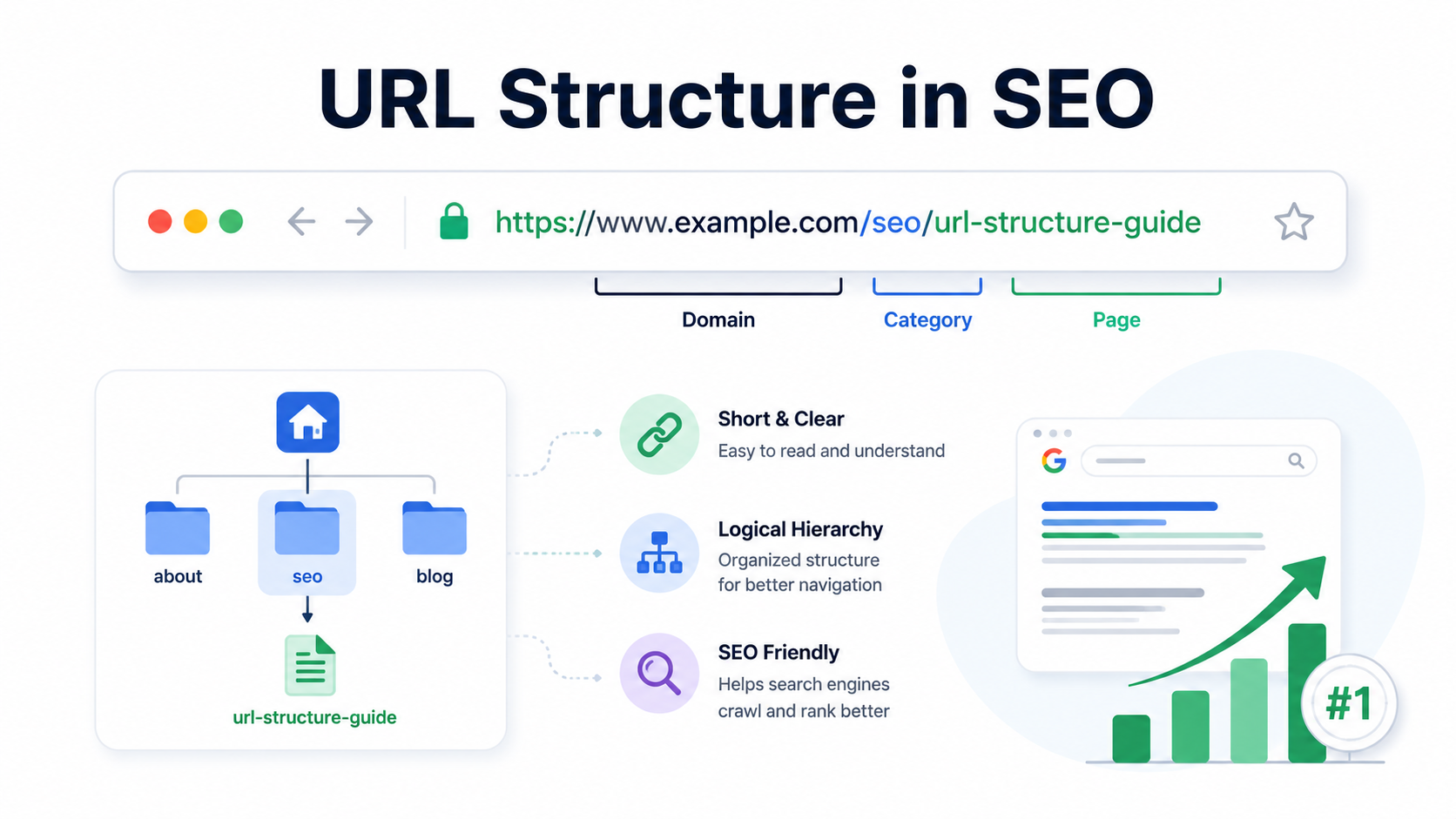
A well-structured URL is more than just a web address—it’s a crucial part of SEO and user experience.
Clean, keyword-rich URLs help search engines understand your content, improve site crawlability,
and build user trust. This guide explains what URL structure is, its different types, common mistakes
to avoid, and best practices for creating SEO-friendly URLs that boost visibility and clicks.
Introduction
Have you ever clicked on a website link and instantly felt confused just by looking at the URL?
Now compare that to this:
Which one would you trust more? The second one, right?
That’s the power of a good URL structure. It’s not just about looking clean, it’s about making your
site easier to navigate, understand, and rank.
In this guide, you’ll learn what URL structure means, the different types, why it matters for SEO,
what to avoid, and how to create URLs the right way.
What Is URL Structure
A URL (Uniform Resource Locator) is the address used to access pages on the web.
URL structure refers to the format and arrangement of these addresses. It’s how different pages are
named and organized on your website.
A clean, logical structure makes it easier for both users and search engines to find and understand your content.
Examples
- Bad URL: www.site.com/products?id=76342&cat=blue
- Good URL: www.site.com/shoes/blue-running-shoes
Types of URL Structure
Understanding the types of URLs will help you pick the right one depending on your website goals.
1. Canonical URL
A canonical URL is the main version of a web page. It’s used to avoid duplicate content issues.
Example:
If the same product appears on multiple URLs, you set one as canonical to tell Google,
“This is the preferred one.”
2. Dynamic URL
Generated based on user input or parameters like search filters.
Example:
Good for e-commerce filtering, but not ideal for SEO unless properly handled.
3. Absolute URL
A complete web address that includes protocol and domain.
- Example: https://www.site.com/blog/post-title
Used in internal links or sitemaps to ensure full path recognition.
4. Shortened URL
A condensed version, often used in social sharing or analytics tracking.
Example:
While useful for sharing, not great for SEO unless 301-redirected to a full version.
5. Relative URL
Links to a page within the same domain without including the full address.
Example:
Faster to manage internally but should be used carefully in SEO setups.
6. Static URL
Fixed and doesn’t change. It doesn’t have parameters or dynamic content.
Example:
Best for SEO as it’s clean and keyword-rich.
Importance of URL Structure in SEO
A well-structured URL helps search engines:
- Understand what the page is about
- Crawl and index the site more efficiently
- Provide better user experience
It also helps users trust your website and encourages them to click when they see your link in search results.
Good URL structure = Better visibility + Higher chances of ranking
Common URL Mistakes That Are Sabotaging Your SEO
Avoiding common URL mistakes can make a big difference in how your pages perform.
1. Avoid Using Capital Letters
URLs are case-sensitive.
- /About-Us and /about-us can be treated as two different pages. Stick to lowercase.
2. Don’t Use Random or Auto-Generated URLs
Example:
It doesn’t say anything about the content. Always include descriptive words.
3. Always Set Up Redirects When Changing URLs
If you change your URLs without redirecting the old ones, you lose traffic and confuse search engines.
Always use a 301 redirect.
4. Don’t Make URLs Too Long with Many Folders
Example:
Keep your structure flat and simple.
5. Avoid Long and Complicated URLs
Long URLs are hard to read and share. Aim for clarity and brevity.
6. Use Hyphens, Not Underscores
Use hyphens to separate words, not underscores. Google prefers this:
- Good: /seo-url-structure
- Avoid: /seo_url_structure
7. Include Important Keywords in URLs
Your URL is a chance to add keywords naturally. Don’t waste it.
- Bad: /product?id=284
- Better: /mens-leather-jacket
- Bad: /product?id=284
- Better: /mens-leather-jacket
Best Practices
Here’s how to create SEO-friendly URLs:
- Keep them short, descriptive, and relevant
- Use lowercase letters
- Separate words with hyphens
- Add target keywords naturally
- Avoid numbers, symbols, and special characters
- Use HTTPS for secure URLs
- Match your URL to your page title when possible
Think of your URL like a headline. It should tell both search engines and humans what the page is about.
Conclusion
URL structure might look small on the surface, but it plays a big role in SEO and user experience.
A well-crafted URL makes your content more accessible, readable, and trustworthy.
It can help you gain more clicks, keep visitors longer, and improve your visibility in search results.
So the next time you publish a page or update your website, give some extra love to your URLs.
They deserve it.
FAQs
Q1. Does the URL structure affect SEO rankings?
Yes, indirectly. Clean and descriptive URLs can improve user experience, help search engines understand your content, and increase click-through rates.
Q2. Should I include keywords in URLs?
Yes, but don’t overdo it. Keep it natural and relevant to the page.
Q3. Can I change old URLs to new ones for better SEO?
Yes, but make sure you redirect the old URLs using a 301 redirect to preserve SEO value.
Q4. Are long URLs bad for SEO?
Not always, but shorter URLs are easier to read, share, and understand both for users and Google.
Q5. Is HTTPS better than HTTP in URLs?
Absolutely. Google considers HTTPS a ranking factor. It also builds user trust.