HTTP Status Codes: What They Are and Why They Matter in Digital Marketing
Ever landed on a webpage only to be met with a “404 Not Found”? Or maybe your browser returned a “500 Internal Server Error”? These cryptic messages are actually HTTP Status Codes the silent messengers of the web that tell you what’s going on behind the scenes every time you load a page.
Whether you’re a marketer, developer, or curious business owner, understanding these codes helps you fix errors, boost SEO, and improve user experience.
Summary: Why HTTP Status Codes Matter
HTTP Status Codes are 3-digit responses sent by a web server when a browser requests a page or resource. They indicate whether the request was successful, failed, redirected, or requires action.
In simple terms:
These codes act like traffic signals for the internet guiding browsers and bots on what to do next.
For digital marketers and SEO professionals, knowing your status codes helps you spot broken pages, handle redirects properly, and ensure a seamless experience for users (and search engines).
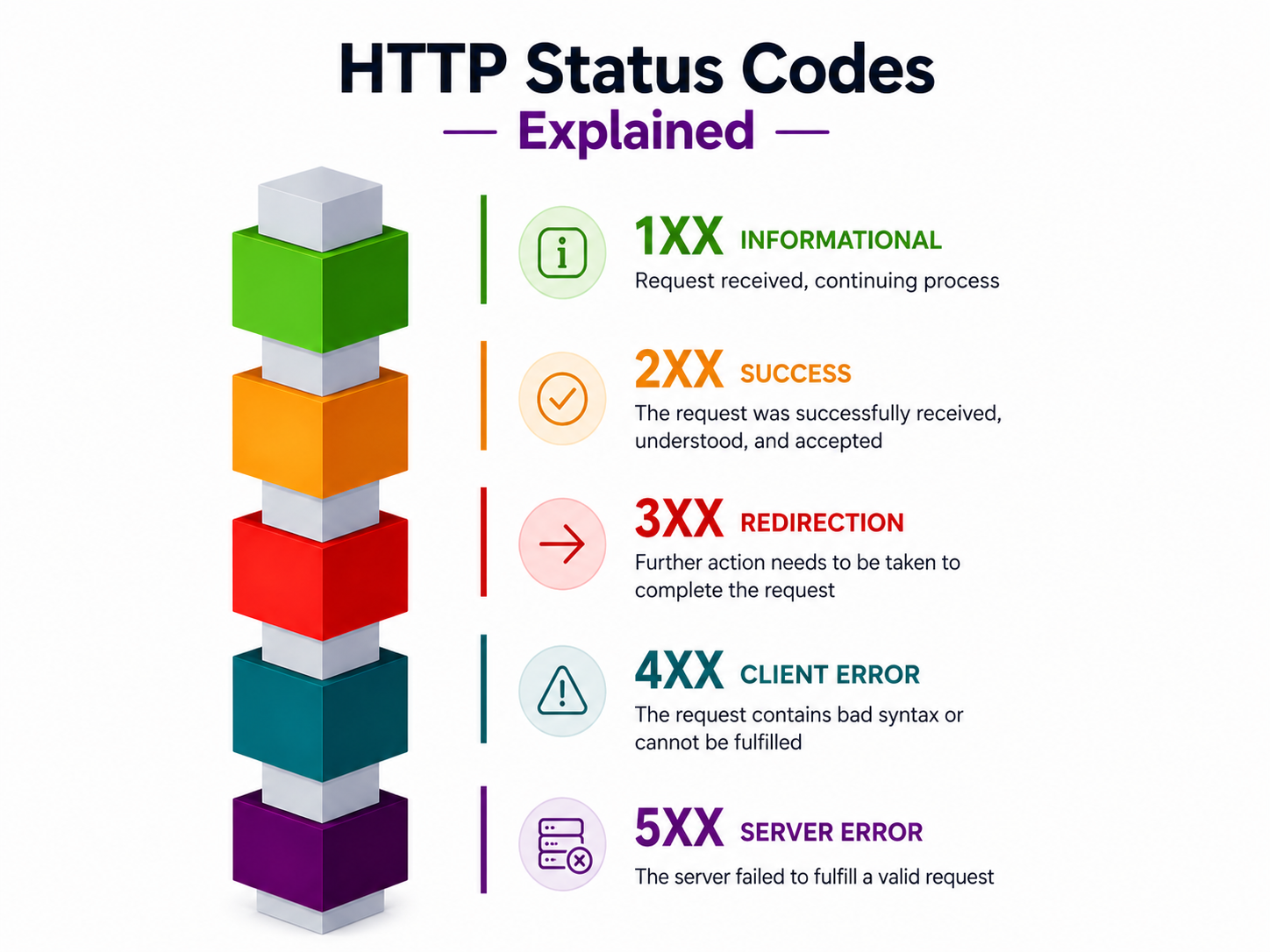
Overview of HTTP Status Codes (1xx–5xx categories)
Types of HTTP Status Codes Explained
HTTP status codes are grouped into five categories, based on the number they start with:
1. 1xx – Informational Codes
These indicate that a request was received and is being processed. Rarely used in marketing or front-end applications.
- 100 Continue – The server received the request headers, and the client should proceed to send the body.
2. 2xx – Success Codes
Everything is working perfectly!
- 200 OK – The request was successful.
- 201 Created – A new resource has been successfully created (often used in APIs or form submissions).
3. 3xx – Redirection Codes
These mean the content has moved, and the browser should fetch it from another location.
- 301 Moved Permanently – Permanent redirect (great for SEO if a page URL has changed).
- 302 Found (Temporary Redirect) – Tells the browser to temporarily redirect the request.
- 307 Temporary Redirect – Like 302 but preserves the request method (GET/POST).
4. 4xx – Client Error Codes
The error is on the client’s side — usually a bad URL or request.
- 400 Bad Request – The server couldn’t understand the request due to invalid syntax.
- 401 Unauthorized – Authentication is needed to access the resource.
- 403 Forbidden – You’re not allowed to access this content.
- 404 Not Found – The most famous error! The server can’t find the requested page.
5. 5xx – Server Error Codes
These indicate a failure on the server’s side.
- 500 Internal Server Error – A generic error message for server failures.
- 502 Bad Gateway – The server received an invalid response from another server.
- 503 Service Unavailable – The server is overloaded or under maintenance.
How to Choose the Right Status Code
1. Understand Status Code Categories
Every HTTP response falls into a category—2xx (success), 3xx (redirection), 4xx (client errors), and 5xx (server errors). Start by identifying whether the request succeeded, failed due to the client, or failed due to the server. This narrows down your choice quickly.
2. Match the Code to the Exact Outcome
Avoid defaulting to generic responses like 200 or 500. For example, use 201 when creating a resource, 404 when something isn’t found, and 422 for validation issues. Precision helps both developers and systems understand what really happened.
3. Consider the Request Type (Method)
The HTTP method often influences the correct status code. A successful POST usually returns 201, while a successful DELETE may return 204. Aligning status codes with methods improves API clarity.
4. Differentiate Client vs Server Errors
If the issue is caused by incorrect input or missing data, it’s a 4xx error. If the server fails despite a valid request, it’s a 5xx error. This distinction is critical for debugging and user feedback.
Best Practices for Implementing HTTP Status Codes
1. Use Appropriate Status Codes Consistently
Stick to a defined set of status codes across your API. Consistency ensures frontend teams and other developers can reliably predict and handle responses without confusion.
2. Keep Responses Meaningful but Minimal
Pair status codes with short, clear messages. Don’t overload responses with unnecessary details—just enough information to explain the outcome and next steps.
3. Align Status Codes with Business Logic
Your status codes should reflect real application behavior. For example, if a user submits invalid form data, returning 422 makes more sense than a generic 400 because it clearly signals validation failure.
4. Avoid Exposing Sensitive Information
Especially with 5xx errors, don’t reveal internal server details in the response. Keep messages generic while logging detailed errors internally for debugging.
Conclusion: Don’t Ignore HTTP Status Codes, They Speak Volumes
HTTP Status Codes aren’t just technical jargon they’re essential tools for anyone managing websites or running marketing campaigns. From SEO rankings to user experience, these codes can make or break your performance online.
Whether you’re fixing broken links, setting up redirects, or diagnosing server issues, knowing your status codes helps keep your digital presence strong and error-free.
FAQs About HTTP Status Codes
Q1. Are HTTP status codes important for SEO?
Yes. Improper redirects (e.g., using 302 instead of 301) or broken links (404 errors) can harm your site’s rankings.
Q2. What’s the difference between 301 and 302 redirects?
301 is permanent and passes SEO value. 302 is temporary and doesn’t always pass link equity.
Q3. How can I check HTTP status codes on my site?
Use tools like Screaming Frog, Ahrefs, or Chrome DevTools (Network tab) to inspect status codes for each URL.
Q4. What does a 503 error mean?
It means the server is temporarily unavailable often due to maintenance or high traffic.
Q5. Can HTTP status codes affect ads or tracking pixels?
Absolutely. If a page throws a 404 or 500 error, ad tracking and conversion events can break.